 clipitx
Step 1
Paste a link or upload
Drop in a YouTube link, or upload the recording. Tell it what to look for if you like, such as "only the pricing questions".
ClipItX finds the best moments, reframes them to vertical and captions them, ready to post.
AI influencers that stay themselvesClipItX Studio · now in betaWorks with
or upload your file
Three steps. No timeline scrubbing, no manual cropping, no typing captions.
Drop in a YouTube link, or upload the recording. Tell it what to look for if you like, such as "only the pricing questions".
It watches and listens to the whole video for hooks, punchlines and emotional peaks, then ranks the clips so the strongest are first.
Pick a caption style and fix any word in the editor. Then download, or schedule and publish to your connected YouTube channel.
The work an editor does on every clip, done in one pass while you get on with the next episode.
Our own fine-tuned clip-selection model plus multimodal AI that watches and listens to every minute, then ranks every clip by virality (hook, flow, value, trend). Ask for a set number, or on longer videos let Auto return up to 25.
Wide shots become 9:16. In the standard layout, an auto-reframe locks onto whoever is speaking and cuts on the exact frame of a speaker switch, with a clean centre crop when no face is found. A 2-speaker split and a facecam + screen layout cover the rest.
Face tracking on Pro and up60 caption styles, including word-by-word highlight, on every plan. Reaction captions add [laughs] and [gasps], and you can correct any word in the editor.
Smart trim cuts dead air and filler. Get to the point opens on the strongest line and drops the tangents. Undo any cut in the editor.
+1 token per clip eachSet up a clip agent, give it a queue of videos and a cadence, and it clips, captions and publishes to your connected YouTube channel on schedule.
Pro and upExport 9:16 clips for TikTok, YouTube Shorts, Reels and X; schedule and publish to connected YouTube channels. Post now or pick a time in the calendar, as public, unlisted or private.
Our AI studio for influencers, images, video and scenes. Every AI influencer gets its own custom-trained model, so the same face carries through every image and video.
Included with paid ClipItX plans: each generation uses your plan tokens, and you see the price before you generate.
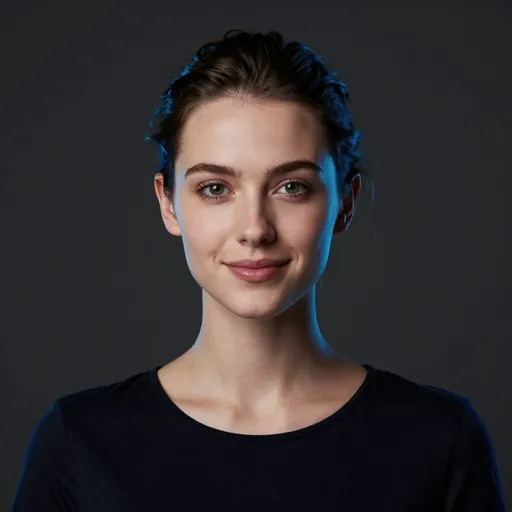
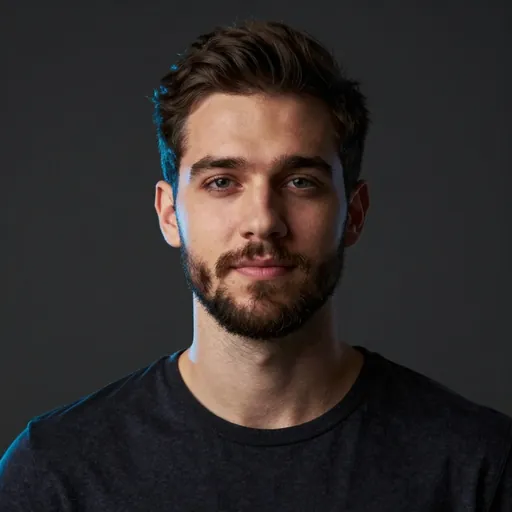
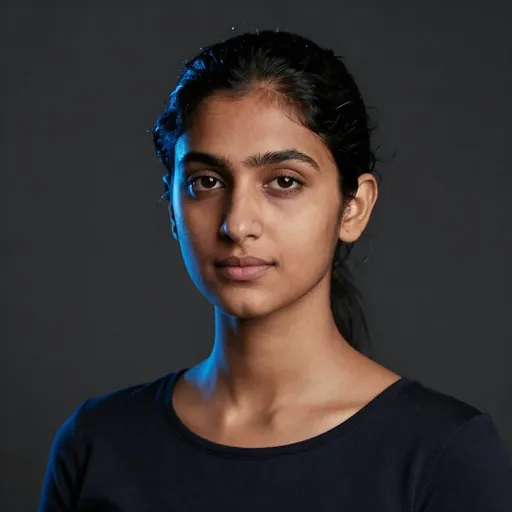
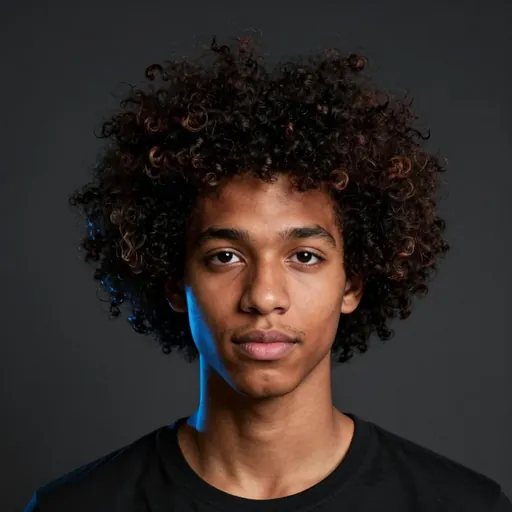
Example portraits of fictional people, AI-generated by ClipItX. Not real people.
Join the waitlist. When we approve your signup, Studio opens on your ClipItX account.
Personal email only (Gmail, Outlook, iCloud…).
ClipItX Studio is in beta. Beta accounts have a daily usage allowance.
Every plan is a monthly token allowance. AI Clips, AI Shorts and AI Stock Video all draw from the same balance.
45 tokens once. No card needed.
Start freeBilled monthly. Cancel anytime.
Get StarterBilled monthly. Cancel anytime.
Get ProBilled monthly. Cancel anytime.
Get Creator9,800 tokens a month: about 1,960 AI Clips (~89 podcasts) or 576 AI Shorts*. Everything in Pro. Videos up to 6 hours, 7 jobs at once.
19,500 tokens a month: about 3,900 AI Clips (~177 podcasts) or 1,083 AI Shorts*. Everything in Pro. Videos up to 8 hours, 8 jobs at once, priority email support.
*Rounded down. AI Clips are one-minute clips from videos up to 10 minutes, 5 tokens each. Podcast counts are 60-minute links cut into 10 one-minute clips, about 110 tokens each. AI Shorts counts on paid plans are 30-second Shorts with standard voices. Prices in USD. Payments are processed by Kelviq, our Merchant of Record.
One balance for everything. You see the token cost before you start, and for clipping, anything reserved but unused is refunded down to the clips you actually get.
Every new account gets 45 free tokens with no card. A clip costs 5 tokens up to 60 seconds (+2 for each extra 30 seconds, 7 with a transcript). The first 10 minutes of each video are free, then each extra minute costs 0.8 tokens, ×1.5 with Deep Watch, which is on for videos up to 3 hours. Uploaded files get 25% off the per-minute part. So a 60-minute podcast cut into 10 one-minute clips costs 110 tokens, and Pro covers about 11 of those a month. Paid plans start at $9 a month, or $7.50 a month billed yearly ($90 for 12 months).
Paste a YouTube link, or upload an MP4, MOV, MKV or WebM file up to 2 GB. Recordings from TikTok, Instagram, Twitch, Vimeo, Zoom or Google Drive work as uploads. Podcasts, interviews, webinars, lessons, sermons and streams all work, as long as someone is talking.
Maximum video length depends on your plan: 30 minutes on Free, 50 on Starter, 3 hours on Pro, 4 on Creator, 6 on Studio and 8 on Enterprise.
Mostly it depends on the length of the video, because the AI watches and listens to all of it. The job runs on our servers, so you can leave the page and come back to your clips.
Yes. You keep full ownership of your videos and the clips made from them, on every plan. Your raw footage isn't used to train any model unless you opt in. See the Terms and Privacy policy.
Export 9:16 clips for TikTok, YouTube Shorts, Reels and X; schedule and publish to connected YouTube channels. You can always download the MP4 and post it anywhere.
Mainly how many tokens you get each month, how long a video can be and how many jobs run at once. Pro adds face-tracking reframe and Autopilot. Free clips carry a small watermark; paid plans are clean. See all plans.
Yes. Monthly plans can be cancelled at any time from Billing. Yearly plans are one payment for 12 months. Payments are handled by Kelviq, our Merchant of Record. See the Refund Policy.